> For the complete documentation index, see [llms.txt](https://docs.yecho.app/llms.txt). Markdown versions of documentation pages are available by appending `.md` to page URLs; this page is available as [Markdown](https://docs.yecho.app/user-guide/getting-started.md).
# Getting Started
Follow these steps to start tracking your daily DeFi income with Yecho.
***
### **01. Connect Your Wallet**
On the Yecho homepage, click **Enter App** ⇒ **Connect Wallet**.\
We support almost all EVM wallets thanks to our integration with RainbowKit (Metamask, Coinbase Wallet, Rabby, Ledger, etc.).
* **After connecting your wallet or spying an address**, you may see this popup. It indicates one of two things:
* The connected address has **no active subscriptions**
* Yecho has not yet collected data for this address. In this case, you’ll need to wait for the **next snapshot** to see your data appear.
***
### **02. Choose a Subscription Plan**
After signing in, go to the **Plans** page and select the subscription that fits your needs.\
As soon as the payment is confirmed on-chain, your plan becomes **active instantly**.
***
### **03. Start Tracking Your DeFi Income**
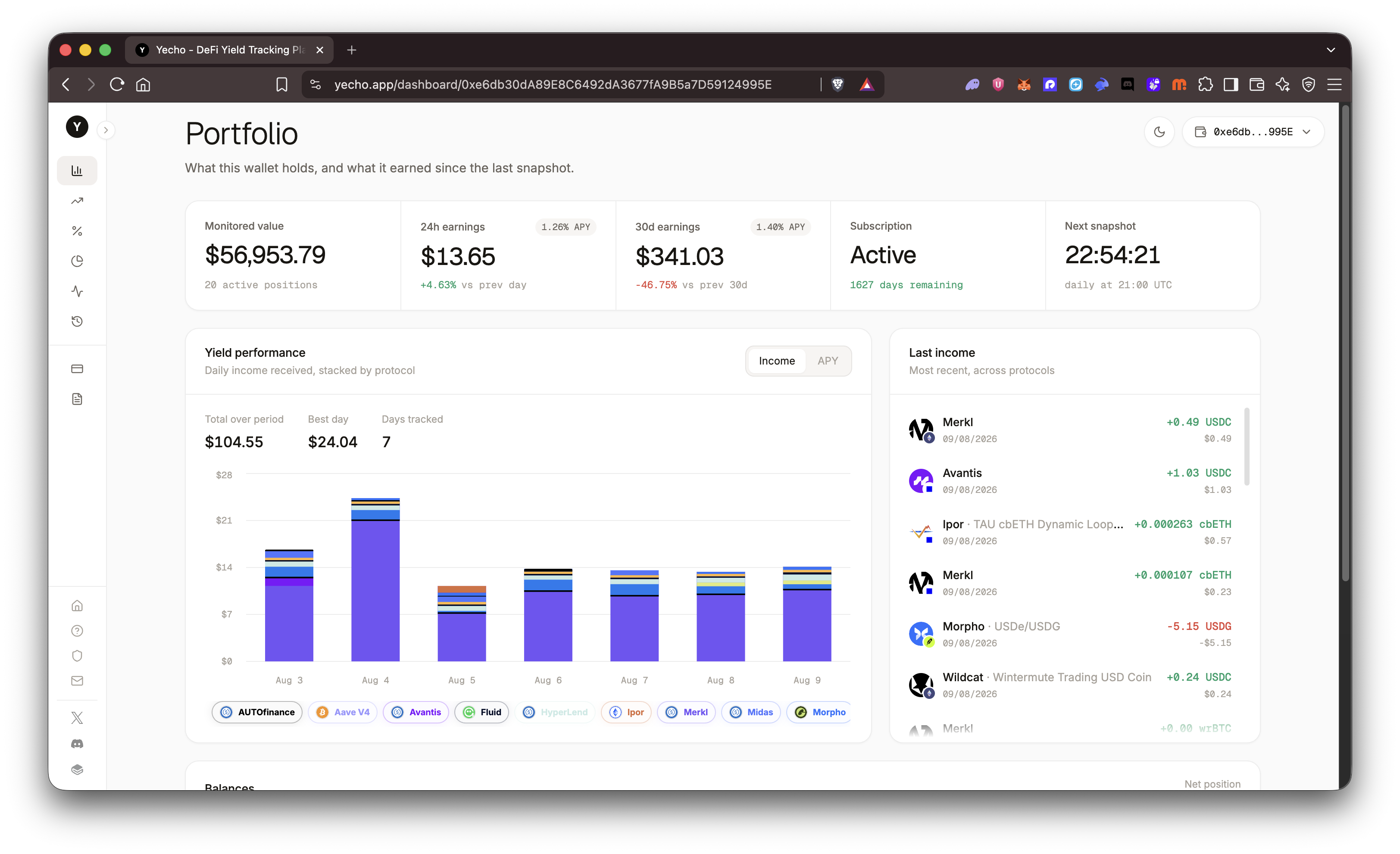
Once your plan is active, you unlock full access to the **Dashboard**:
* Automatic daily snapshots
* Real yield calculations
* Protocol-level and token-level analytics
* Trend charts and historical data
Tracking begins immediately and continues every 24 hours.
***